
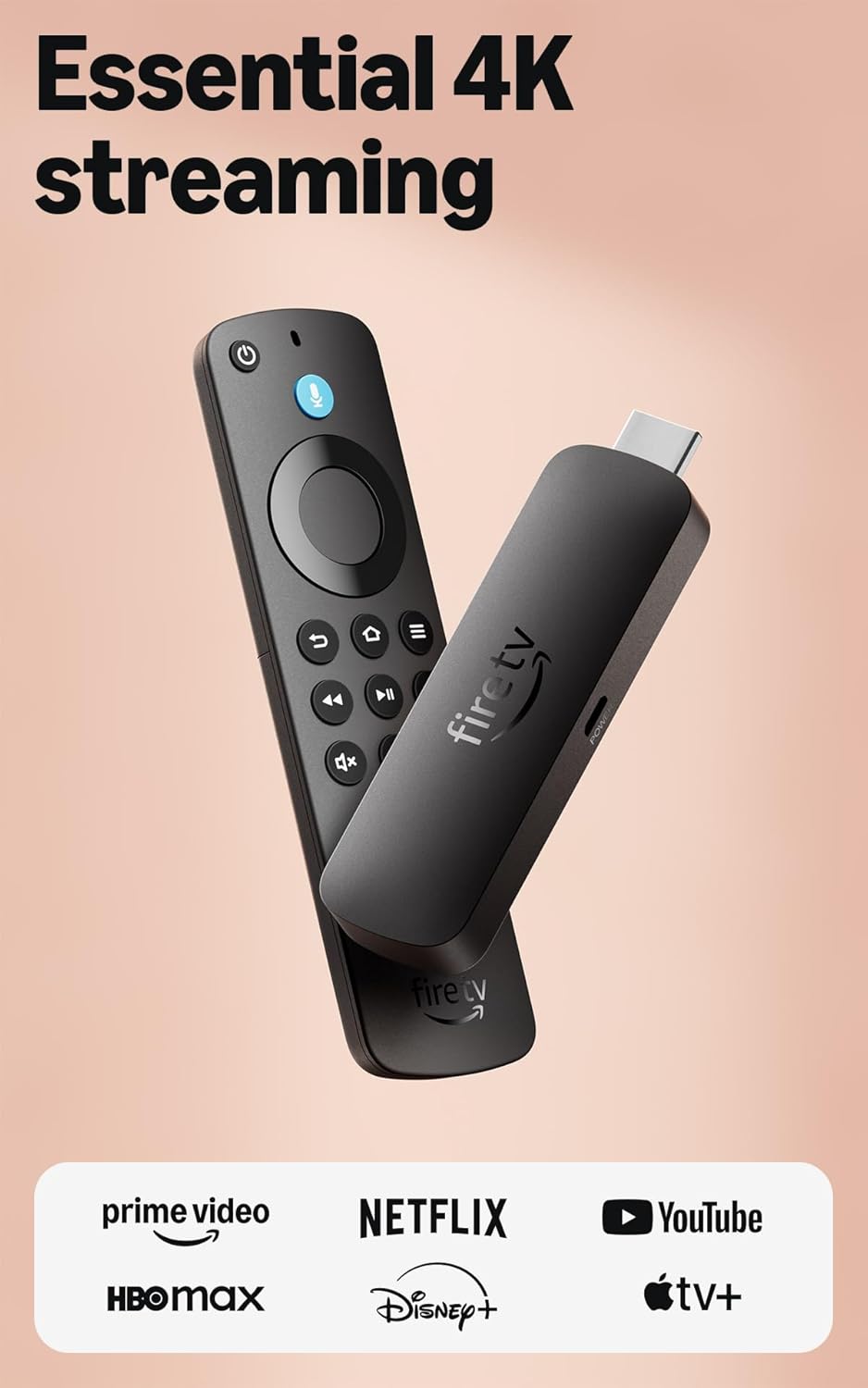
Amazon Fire TV Stick 4K Select (newest model), start streaming in 4K, AI-powered search, and free & live TV, find shows faster with Alexa+
$24.99
Related Products




Essential 4K streaming – Get everything you need to stream in brilliant 4K Ultra HD with High Dynamic Range 10+ (HDR10+).
Make your TV even smarter – Fire TV gives you instant access to a world of content, tailor-made recommendations, and Alexa, all backed by fast performance.
All your favorite apps in one place – Experience endless entertainment with access to Prime Video, Netflix, YouTube, Disney+, Apple TV+, HBO Max, Hulu, Peacock, Paramount+, and thousands more. Easily discover what to watch from hundreds of thousands of movies and TV episodes (subscription fees may apply), including free, ad-supported content.
Getting set up is easy – Plug in and connect to Wi-Fi for smooth streaming.
Alexa is at your fingertips – Press and ask Alexa to search and launch shows across your apps.
Find shows faster with Alexa+ – Getting to what you love has never been easier. Talk naturally to find what to watch fast, view Amazon Photos, manage your smart home, or dive into virtually any topic.
Play Xbox games, no console required – Stream Call of Duty: Black Ops 7, Hogwarts Legacy, Outer Worlds 2, Ninja Gaiden 4, and hundreds of games on your Fire TV Stick 4K Select with Xbox Game Pass via cloud gaming. Xbox Game Pass subscription and compatible controller required. Each sold separately.
Control your compatible smart home – Alexa checks the weather, dims the lights, streams music, and more.
[
5 reviews for Amazon Fire TV Stick 4K Select (newest model), start streaming in 4K, AI-powered search, and free & live TV, find shows faster with Alexa+
Add a review
$24.99
Andrew cpt.morgan –
Easy 4K Streaming Upgrade with Smooth Performance
The Fire TV Stick 4K Select is a simple and effective way to upgrade any TV into a full streaming hub. Setup takes only a few minutes, and the interface is easy to navigate even for people who aren’t very tech-savvy. Streaming in 4K looks sharp and smooth, and apps like Netflix, Prime Video, YouTube, and others load quickly without noticeable lag.The AI-powered search feature is helpful for finding shows across multiple platforms, and the included voice remote makes browsing much faster than typing everything manually. It also offers access to plenty of free and live TV options, which is a nice bonus. Overall, it’s a reliable and affordable streaming device that delivers strong performance for everyday use.
cjm –
Works great! Remember to do update when first installing!
Review Edit: I initially had issues with this new Fire Stick 4K and gave it 2 Stars. It was so frustrating because it wasn’t taping shows properly on Hulu. After my review was posted a very nice and knowledgeable Amazon customer service rep reached out to me to see if she could help with my issues. With her help we were able to do an update to the device and now it is working just as it should.*******************I purchased this to replace an older version Fire Stick TV.I purchased this one because it said it was the latest 4K model. We have others that are working great on other TVs.This new one however is not so great. I use it with my Hulu subscription and I DVR a lot of shows to watch. I noticed immediately there was an issue when recording a show that was 2 hours long, the new Fire Stick TV would only tape the first hour and stop. It never taped the rest of the show, this happened two days in a row. It doesn’t even show up as a full show then next day on my TV list.But ….. it would tape the whole two hours on my Hulu account on my laptop, so I knew it was a Fire Stick TV issue not a Hulu issue.I’m hoping that since it’s a new model that the bugs haven’t been worked out yet and with updates those will be fixed.I ended up switching it out with another TV that we watch different, shorter shows on and use the one that works for the longer taped shows.
Amazon_User –
Amazon Fire TV Stick 4K Select (newest model per it’s one title).
Sadly it surprised me how this performed.- Someone who’s acclimated to installing stuff like this is okay, but, for those who are not – they’ll need a friend. Many in my family would not have gotten this installed and they don’t do tech phone call well. And, so gage that for yourself.- Once it “installed” I presumed that my long standing account, as-is would be there. No!- I spent 2.5 hours attempting to guess what was up, saw parts of my account online I never knew existed, and traversed many Setup Menu items in the FireTV menu that fixed nothing (stop, clear cache, restart). The whole restart thing becoming a few x’s a day ritual is what caused this purchase – ironic. Described as may go away since “better”. No.- So, finally giving in – clicked HELP here and figured out how to fool the menu picks into “other help” needed, not listed some may relate to having to do. So, got to a Chat with CS.- As someone who’s engaged development of devices like this on global platforms I consider that Product Support IS part of the PRODUCT itself. What else would it be?What I determined is that, they knew that not all of my Apps would be visible (even visible) since not “compatible”. That means to me, they could have, (I would have as a product realization person) – Flagged the purchase to the customer that said, e.g. ? suggestion – “Some of your apps may not show up upon installation due to incompatible with the new Stick 4K operating system. They did not.I was THEN told – you don’t even see them since not compatible. WHY then, in all the other “help” where it said, “DELIVER” this to your Fire Stick did it not even then – if got that far – was not then “waiting” for “delivery”.So, then I asked, what do I do now, hold onto it and wait, return it, are we done now – what. I asked several times and got, to me, odd scripted replies. All they had to do was say, “wait, I’m checking on that for you”. So finally I was told I could return it. Well, we all know that’s an option.- So, if use Apps to see programs. Firs KNOW that you DO and those Icons are not program placeholder they are downloaded into your App Library.- If not there upon first getting into this new Stick – well, that’s it, you’re done.If told that upfront – I could have negotiated with Family that demand certain apps and be prepared, warmed up for it not being there. Some of those apps were locking up anyway, unstable and so would likely be good as gone anyway.But, as this went yesterday, omg – I was taking a beating and they wanted it removed and the old stick put back. 🙂 Uhhh, no good deed goes unpunished it seems.So, there you go. It may be an old adage of “release then test” or, who knows. However, the CS rep “felt” like they knew which was encouraging to me, not a negative. I feel there were still options to resolve it better then proceeded during the return process. But, it is what it is.I hope that informs folks and helps since is presently being advertised at special deal prices and many like me may order it and be into half a day of installing what should take no more than 20 mins +-.
Whoknowes –
Great device for older TV’s, keeps them with all the smart options newer TV’s have built in.
This is my 6th or 7th Firestick over the years, this one is 4K, but also works in 1080 HD for an older tv in the garage. Most people know what these look like and if not the picture in the listing is accurate. It comes with the Firestick a usb power cable and the power brick to supply power to the Firestick. Super easy to install, Easy to add your own app to the menu. Connects to your wifi quickly so the set up doesnt take too long. All of the controls for the Firestick and most for the TV are on the remote the Firestick comes with there are many options like everything now days, you can configure your setup on the tv how you like with many options for apps and channels to watch. Storage capacity for other apps is good, not sure what the memory capacity is, but I’ve never had one tell me it was full or to check storage. Rarely have any issues with the device either, they always work as expected, buffer rarely so the stability and usability of the device is strong.
HD –
Great Upgrade for Slower Smart TVs, Smooth and Easy to Set Up
I bought this item to use with older Roku smart TVs that had become sluggish and unstable over time due to software updates, and it’s been a very effective upgrade.Setup was quick and straightforward, and performance has been smooth from the start. Navigation is responsive, apps load quickly, and it feels like a significant improvement over the built-in software on older TVs.In my case, this ended up being a much more cost-effective solution than replacing the TVs themselves. The displays were still fine. The issue was just the software. The Fire TV Sticks solved that problem completely.Overall, this is a great option if you want to extend the life of an older TV or improve performance without buying a new one.