

EIGHTREE Smart Plug, Smart Home WiFi Outlet Compatible with Alexa & Google Home, Smart Socket with Remote Control & Timer Function, 2.4GHz WiFi Only
$6.50
Related Products





Product description

1 Link to Smart Life
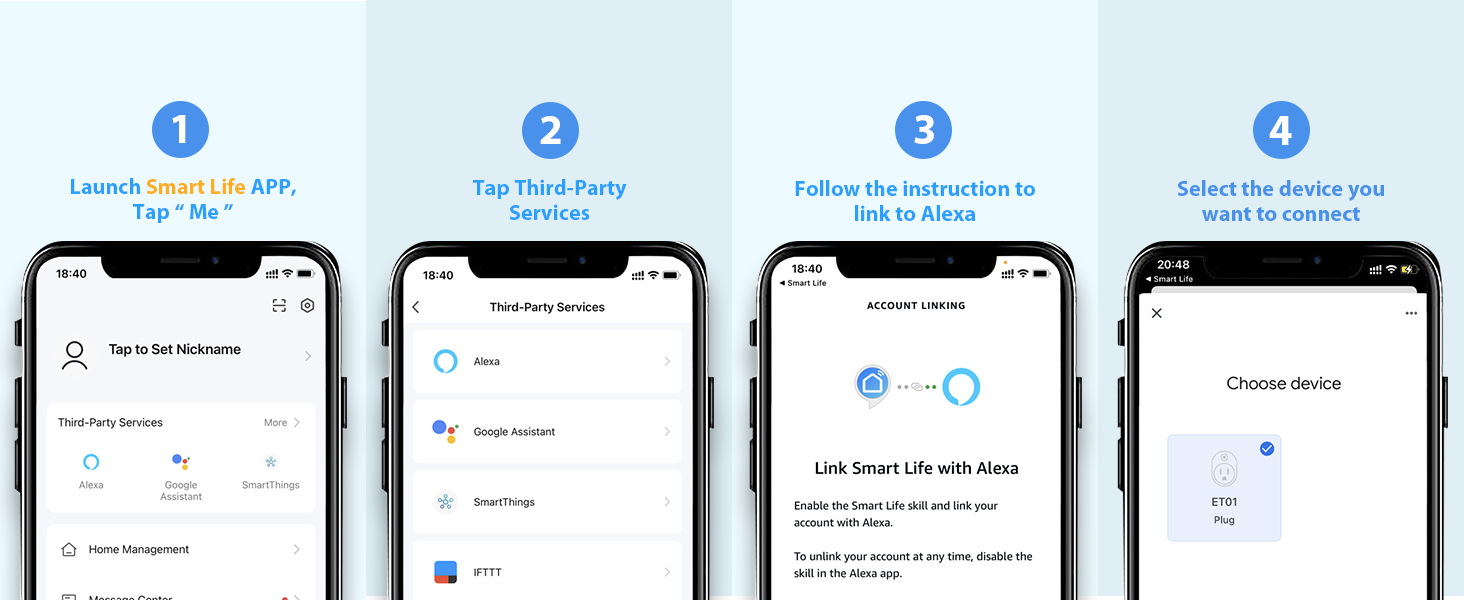
2 Link to Alexa
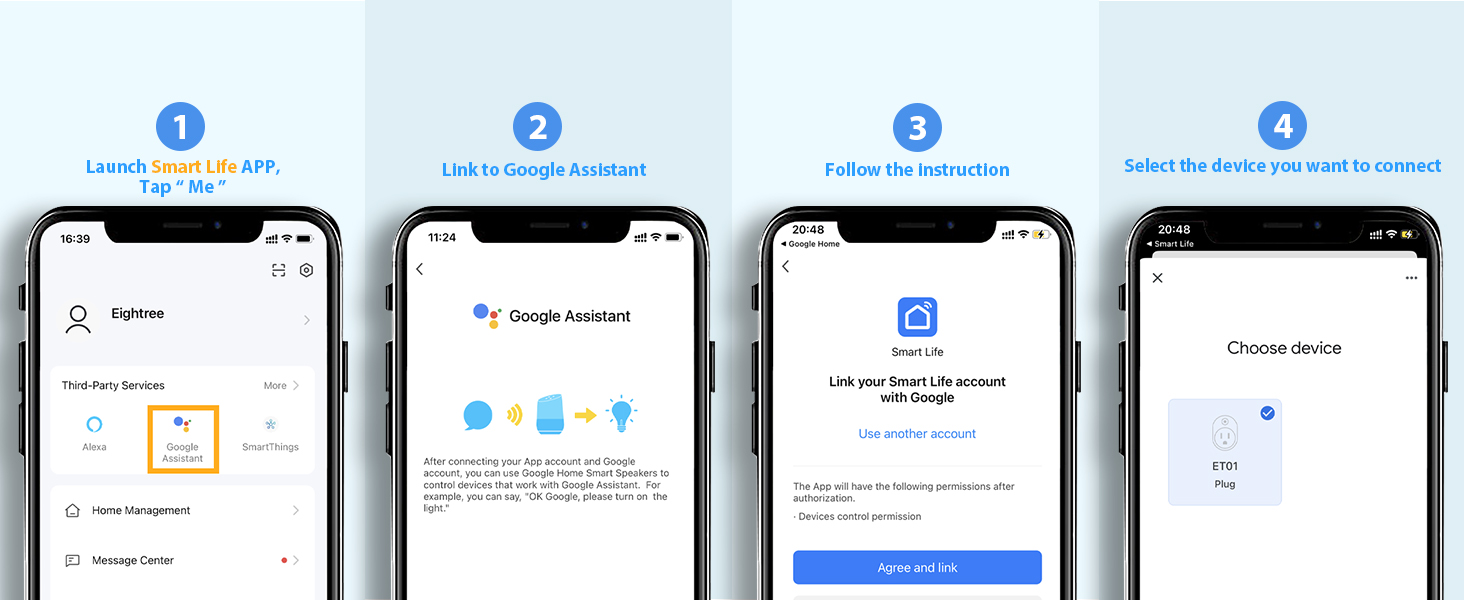
3 Link to Google Home
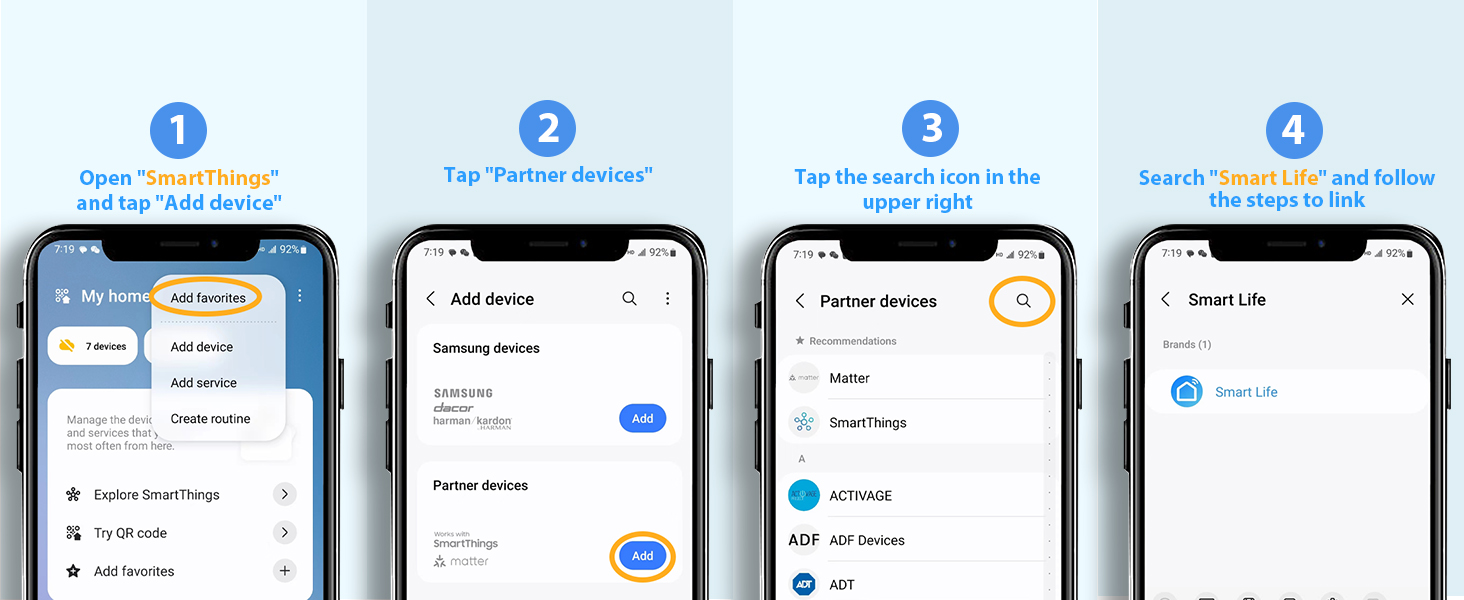
4 Link to SmartThings
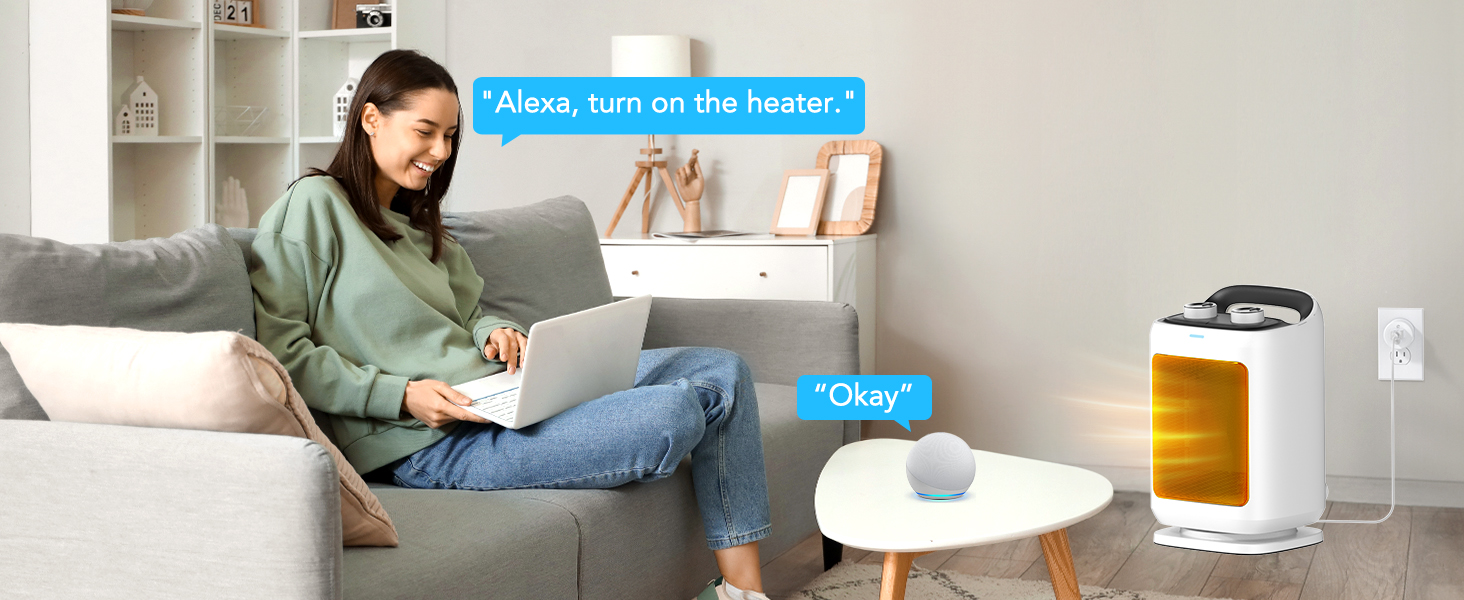 Voice Control Made Easy
Connect the plug to the Smart Life app first, then link it with Alexa to enjoy hands-free control.
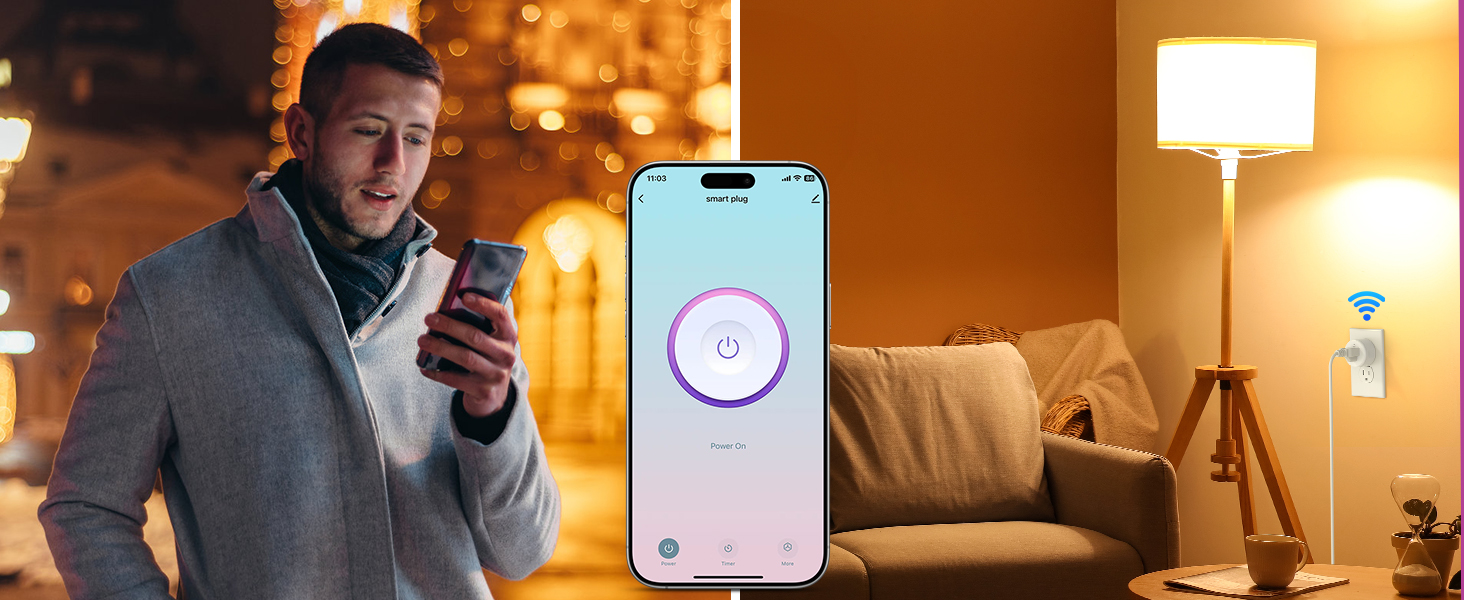 Control from Anywhere
Turn devices on/off anytime, anywhere via the Smart Life App.
1 Voice Control
2 Remote Control
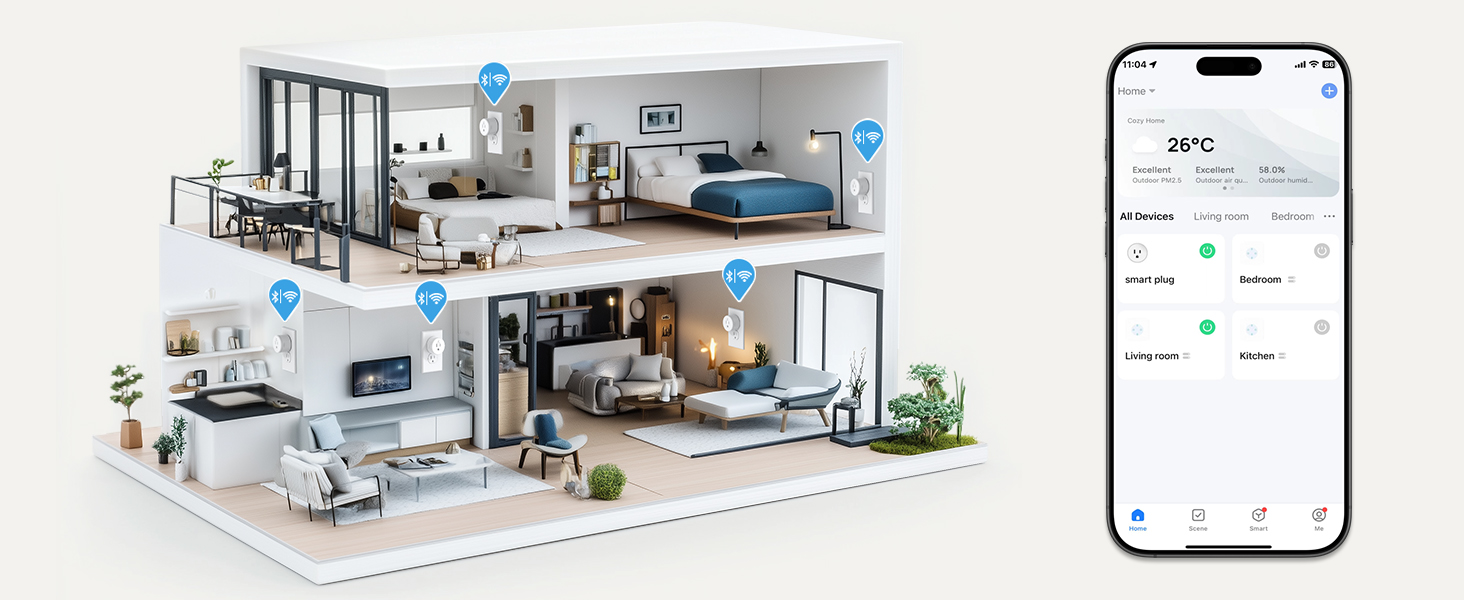 Control Multiple Devices with One Tap
Simplify your smart life by managing your devices in sync with your needs
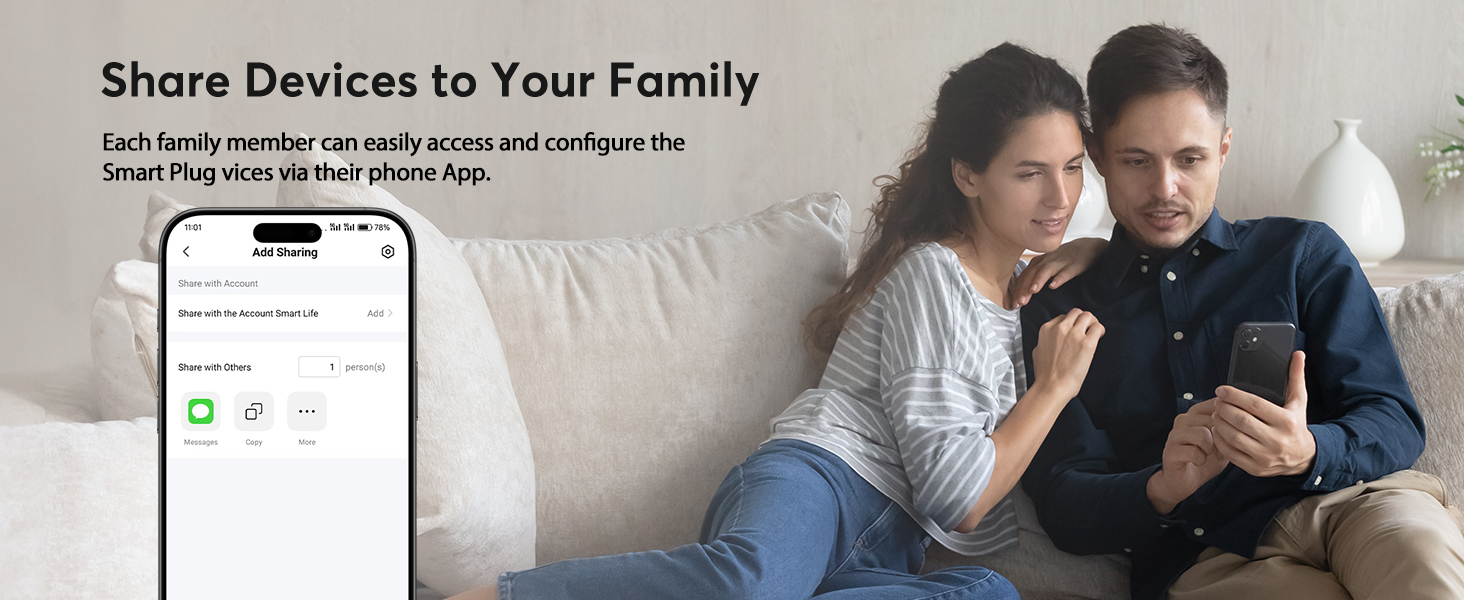

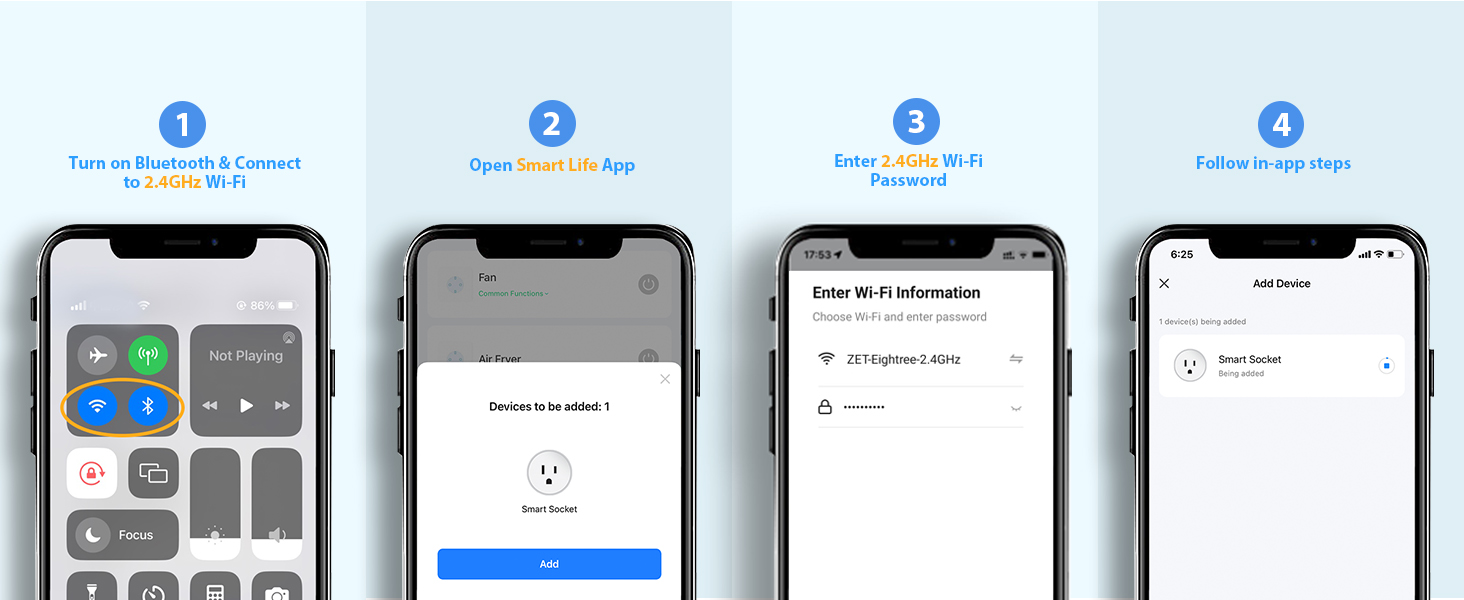
How to connect smart plug?
1. Download the Smart Life App and register for an account.
2. Power on the plug and ensure that the indicator is flashing.
3. The Smart Life App will automatically detect the plug.
4. Follow the on-screen prompts to complete the connection process.
What to do when connection fails?
1. Unplug & hold 5s to reset.
2. Reconnect via AP mode (watch the video guide).
3. If not connecting, check for “SmartLife-xx” hotspot in AP-Mode. If not found, please reach out to the support team for a new one. If found, check your router settings.
How do I use the plug to work with third-party voice assistants?
1. Open the Smart Life App and connect your plug.
2. In the Smart Life App, go to “Me” > “Third-Party Services”, and select Alexa/Google.
3. Or, open the Alexa App, go to “Skills & Games”, search for “Smart Life”, and enable the skill.
What should I do if my smart hom plug is broken?
No need to worry! We’ve got you covered with a 2-year replacement service. If you encounter any problems, just reach out to us through Amazon or our official email, and we’ll be more than happy to help!
My plug is connected to Smart Life, but Alexa still doesn’t work. What should I do?
1. Make sure your Alexa device and smart plug are on the same 2.4GHz Wi-Fi network.
2. Confirm that the Smart Life skill is enabled in the Alexa App and properly linked.
3. Try saying “Alexa, discover devices” to refresh the connection.
Eightree Smart Plug
Add to Cart
Customer Reviews
4.5 out of 5 stars 6,503
4.5 out of 5 stars 178
4.3 out of 5 stars 490
4.1 out of 5 stars 170
4.6 out of 5 stars 759
4.5 out of 5 stars 863
4.5 out of 5 stars 485
Price
$20.88$20.88
—
—
$29.99$29.99
$20.89$20.89
$35.99$35.99
$13.99$13.99
Model No.
ET01
RP10
ET08
ET12
ET10
ET15
ET77
Rated Voltage
AC 100-240V
AC 100-240V
AC 100-240V
AC 100-240V
AC 100-240V
AC 100-240V
AC 100-240V
Max Current
15A
15A
10A
15A
15A
15A
15A
Wi-Fi Band
2.4GHz Only
No Need
No Requirement
2.4GHz Only
2.4GHz Only
2.4GHz & 5GHz
2.4GHz Only
Connection Method
WiFi & Bluetooth
No Need
Bluetooth
Zigbee
WiFi & Bluetooth
WiFi & Bluetooth
WiFi & Bluetooth
Works with Alexa
✔
✘
✔
✔
✔
✔
✔
Compatible with Google Home
✔
✘
✘
✔
✔
✔
✔
Compatible with SmartThings
✔
✘
✘
✔
✔
✔
✔
Specialty
High Quality-Price
Plug-and-Play
Plugin Direct Connect to Alexa
Low Power Consumption
Easily Exist Side-by-Side
Compact & Energy Monitoring
IP44 Waterproof
Requirements
With Other Apps via Smart Life
No Wi-Fi, No App
Need An Alexa Device as a Hub
Need A Zigbee Gateway
With Other Apps via Smart Life
With Other Apps via Smart Life
With Other Apps via Smart Life
Number of Packages
1 Pack, 2 Packs, 4 Packs
3 Packs, 5 Packs
1 Pack, 2 Packs, 4 Packs
1 Pack, 2 Packs, 4 Packs
1 Pack, 2 Packs, 4 Packs
1 Pack, 2 Packs, 4 Packs
1 Pack
Product Status
In Stock
In Stock
In Stock
In Stock
In Stock
In Stock
In Stock
Warm Tips: To use Alexa and Google Home for voice control, please take a minute to connect the Smart Home plug with the Smart Life App first.
Simplified Setup: Our upgraded smart plug makes connecting a breeze. Just open the Smart Life App, and your phone’s Bluetooth will automatically find the plug. No more worrying about complicated setups.
Voice Control: Smart plugs compatible with Alexa and Google Home Assistant. Operate with a simple voice command: “Alexa, turn on the fan”.
Remote Control: Use your smartphone to turn home devices on and off from anywhere, anytime. Grab an Alexa smart plug for those electronics you sometimes forget, saving energy and ensuring safe power usage.
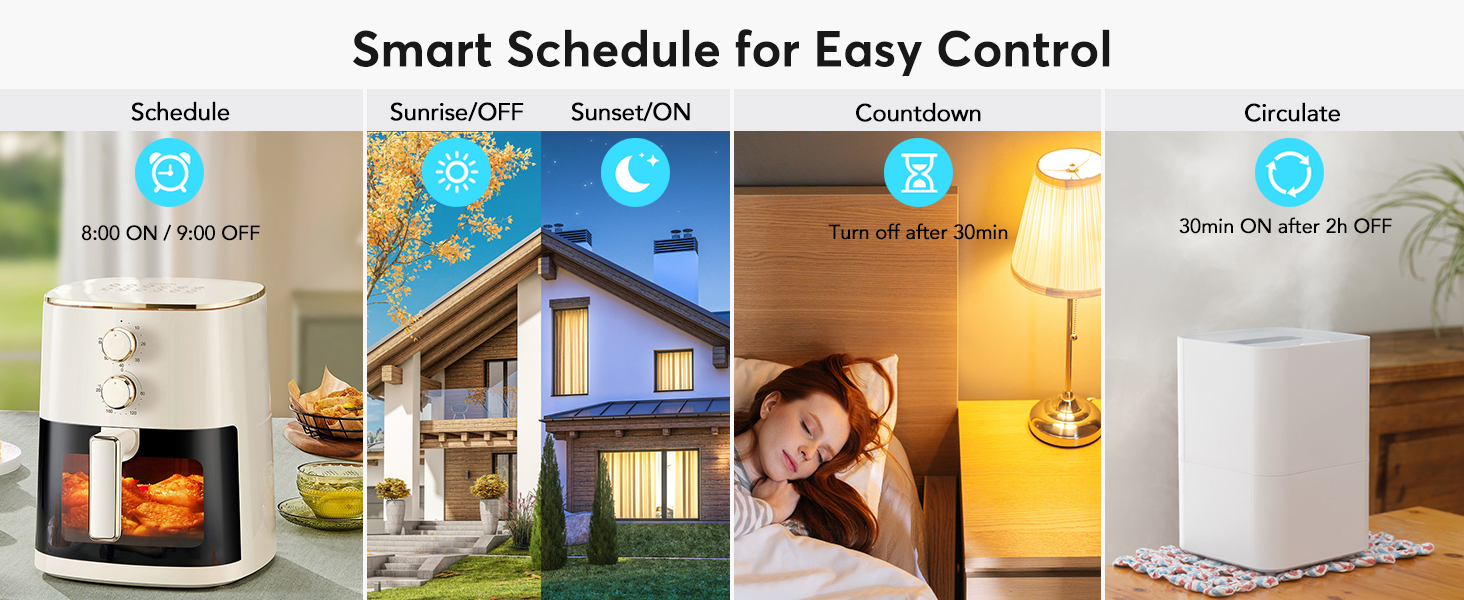
Schedule & Timer Function: You can easily set timers, countdowns, cycles, or random schedules. For example, schedule the coffee maker to turn on automatically at 8 a.m. and the lights to turn off at 10 p.m.
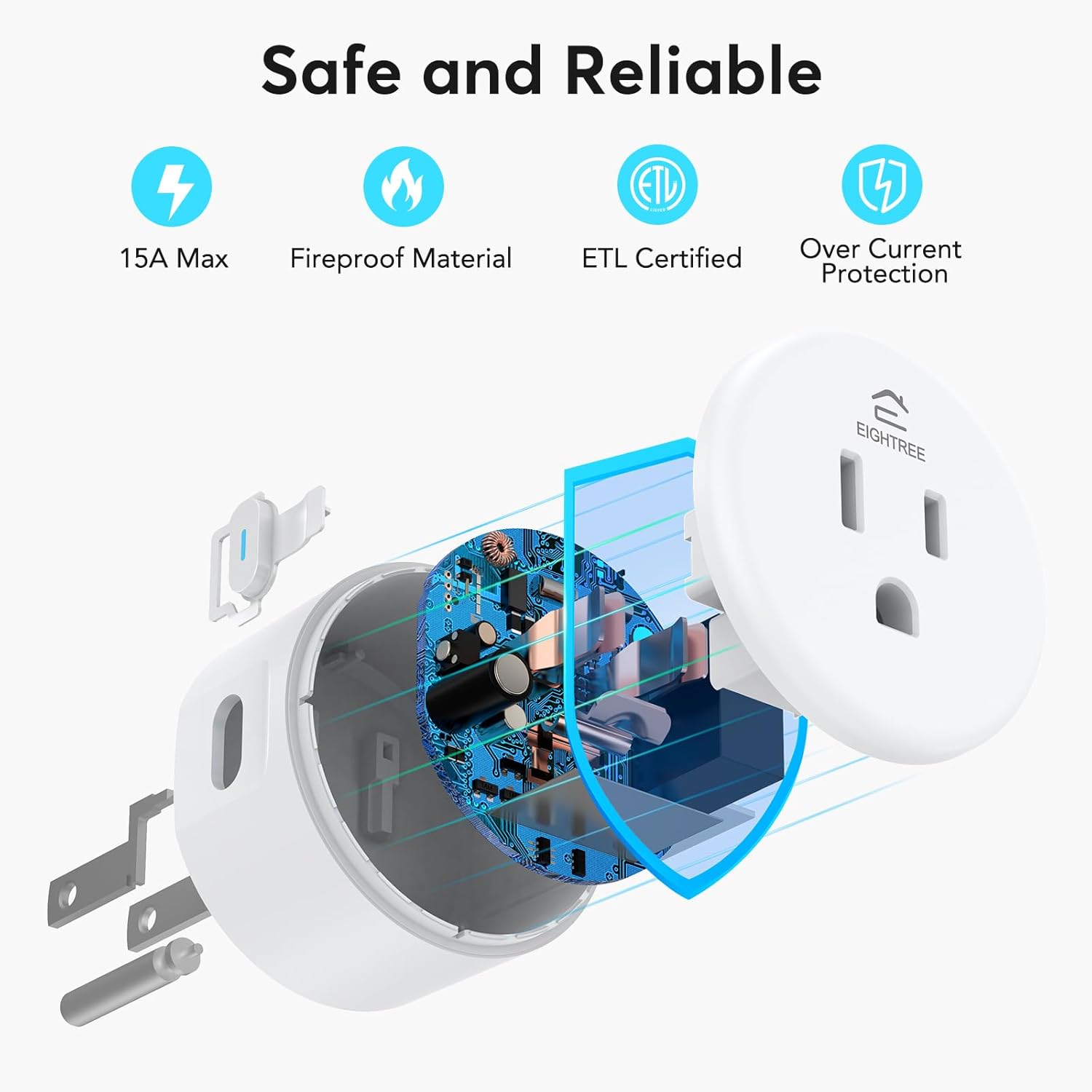
Reliable & Compact: The mini round design fits neatly in tight spaces without blocking the second outlet. ETL and FCC certifications help ensure safe use and consistent performance in everyday scenarios.
Warm Tips: This smart outlet supports SmartThings for flexible smart-home integration. For a smoother setup, follow the connection instruction video provided in the app and product guide.
[
13 reviews for EIGHTREE Smart Plug, Smart Home WiFi Outlet Compatible with Alexa & Google Home, Smart Socket with Remote Control & Timer Function, 2.4GHz WiFi Only
Add a review
$6.50
Briam –
Small, practical, and a great way to make outlets smart
This smart plug is small and very practical. One thing I really like is that it doesn’t block the other outlets on the wall, which is very important if you’re using a power strip or a double outlet.Setting it up was also very easy. It doesn’t have a built-in microphone itself, but once you download the app and connect it to your smart home system (like Alexa), it works perfectly. Linking it to Alexa was simple and only took a few minutes.After that, you can control anything plugged into it with your voice. You can turn devices on or off, and you can also schedule them to turn on or off automatically whenever you want.To me, it feels a bit like when you connect a TV Stick to an old television and suddenly it becomes a smart TV. This device does something similar for power outlets — it basically turns a normal outlet into a smart one.And honestly, it’s a pretty cool feeling. As I move around the house I can just talk to my devices and they respond. Sometimes it even feels a bit like being Iron Man talking to Jarvis.Overall, it’s a very useful little device and a great addition if you’re building a smart home setup.
Jay –
Does the job
These work very nice. They hook up easily to WiFi also. Use for a grow light. App is fast and simple.
The loop –
Nice wifi plug
Neat little wifi plug. I already had the SmartLife app, and wanted another plug for a lamp timer. This was easy to set up and connect and works great with the app.
Leverett J. Zompa –
Plugs work well. Discription of connection to WiFi and Alexa poor.
I purchased the plugs to use them with Alexa. The plugs worked as described. However, directions on their use were not helpful. After watching a YouTube video I was able to connect to the plugs to my WiFi router. Final recognition of the plugs to Alexa took some extra effort. I only gave the plugs 4 stars because of the lack of detail in the directions.
Tammy T. –
Works as expected
Easy to set up and works as expected.
Willie –
Great Smart Plug!
This smart plug was recognized by my Smart Life app and was set up within five minutes. I was then able to connect a lamp to the plug and set this up within five minutes with both Alexa and Google Home. I would definitely recommend this smart plug for any home!
KristinaB –
Works great… with only one complaint
I really like these smart plugs and ended up ordering more. They work perfectly with my Alexa and have been very reliable. The only downside is that they’re pretty bulky, which makes it hard to use the other outlet in the same socket if you have a larger plug. You basically have to use them in the bottom outlet, because if you use the top one, there’s no room to plug anything else in. I can’t even use my Apple laptop charger in the same outlet. That said, aside from the size issue, I’m really happy with them overall.
Bethany Roberts –
Life saver for bearded dragon keeper
These WiFi outlets saved my life when it comes to turning my bearded dragons lights on and off. Now I don’t have to worry about being home and I set a schedule through the app to do it all for me!
Steve B –
I’d used similar plugs before so am familiar with the process, but even still I was surprised at how quickly and easily I had them set up, connected to my Google Home, and working the way I wanted. In about 10 minutes they units were installed and connected to my wifi and Google Home, and a few minutes later I had set up the custom voice commands I needed to switch my room lighting back and forth between two different sets of lights.
François –
Bien
Amazon Customer –
Very good but wifi-2.5
kelly chrysler –
Always look into if your router merges the 2 and 5GHz channels together into one. If it’s broadcasting at 2,then use any one you want, the 2 or the 5. If it’s broadcasting at 5GHz,then the 2 won’t work (can’t connect, will work as a manual plug) you will have to buy the 5GHz plugs instead.
Val –
Love the smart plugs. I should have gotten them sooner. No more having to unplug a cord every nite or shut off a lamp. I just have to ask Alexa to do it for me. Life is so much better